
by Sharon Rondeau

(Mar. 25, 2025) — For the last several weeks, The Post & Email has reported on a case of internet surveillance, harassment and “gangstalking” of a California resident, formerly of Hawaii, beginning in 2019.
The victim has reported the phenomena to Santa Clara County officials. While several weeks ago the victim received a phone call from Chris Berry of the REACT Task Force, the division of the district attorney’s office which investigates cybersecurity crimes, neither Berry nor anyone else has since notified him an investigation has been launched.
In an email to this writer on March 10, District Attorney Jeffrey F. Rosen’s communications director, Sean Webby, would not confirm or deny the existence of any investigation based on the victim’s reporting.
The victim has noted on more than one occasion that Santa Clara County is the home of “Silicon Valley,” the birthplace of the modern-day tech industry described by Wikipedia as “a global center for high technology and innovation.”
As a non-expert, the victim has used Wigle.net to research the presence of reported wi-fi networks at each of his three homes over the last five years. A citizen-driven wi-fi network data aggregator, Wigle also catalogues reports of cell towers and “BT (bluetooth) devices.”
Many of the wi-fi networks Wigle currently displays over and around each of his three addresses were reported by the victim himself as they appeared on his computer screen when logging on to the internet.
As he has demonstrated, the networks, or “SSIDs,” are not static, but rather, “cycle” in and out of the area, suggesting, based on his research, that they might not be legitimate customer networks.
Thus far lacking professional assistance, the victim has consulted artificial intelligence programs ChatGPT, Copilot and China-owned DeepSeek for information on cycling and the wi-fi mesh systems he believes are being utilized to illegally surveille his home, physical movements and internet activity, resulting in account lockouts and an inability to use a cell phone.
How-to Geek defines “mesh wi-fi” as a system which employs “several nodes rather than a single access point, like a traditional Wi-Fi router. Because multiple devices broadcast your Wi-Fi in different locations throughout your home, mesh Wi-Fi can provide a stronger Wi-Fi signal throughout your home.”
According to PC Magazine, a wi-fi mesh system will “blanket your home in a wide web of Wi-Fi signal, with the help of multiple physical pieces of transmitting hardware.”
Regarding AI, the victim told us ChatGPT has been the most helpful, as it can analyze screenshots, an ability he has not yet tested with the other two. All three, however, have confirmed that the SSID cycling he has described and, in the case of ChatGPT, supplied, indicates something other than the usual “static” wi-fi networks of a quiet residential neighborhood.
Prior to The Post & Email‘s reporting, the victim told us the interference he experienced while engaging ChatGPT eventually “throttled” his usage of the tool. Recently, he told us on Monday, his ability to obtain responses is improved.
On February 19, 2025, the victim sent a report to the Gilroy, CA Police Department, an excerpt of which reads:
1. Description of Suspicious Devices and Activities
Unusual Network Activity: Evidence of Organized Surveillance
I have documented daily fluctuations in the number of WiFi networks appearing and disappearing around my home, with anywhere from 7 to over 50 networks cycling on and off at irregular intervals. This is not normal behavior in a quiet residential area and is highly indicative of a coordinated effort involving multiple individuals or devices.
Typical home networks remain stable and do not turn on/off in shifts. The rapid appearance and disappearance of networks suggests the use of mobile or temporary surveillance equipment rather than ordinary home routers.
Network fluctuation indicates active monitoring. The irregular pattern of WiFi signals being broadcast and disappearing is consistent with an orchestrated effort to maintain continuous surveillance while evading detection.
Use of mesh networks or relay devices. The observed behavior strongly suggests the use of mesh WiFi technology, mobile hotspots, or repeater systems to establish an extended surveillance perimeter.
Cybersecurity experts confirm this is not normal. AI models, cybersecurity professionals, and WiFi network specialists confirm that the presence of dozens of temporary or rotating WiFi signals in such a small area is indicative of intentional surveillance activity.
After learning of Wigle from the victim, The Post & Email created an account to verify his claims, drawing comparisons between the documented wi-fi networks centered on each of the victim’s three most recent addresses to nearby areas and publishing the findings with the site’s permission. However, two weeks ago we became unable to sign in, and attempts to contact Wigle to troubleshoot received no response.
The first email sent to Wigle asked why “PLOT ERROR” appeared on that day, blocking out the data displayed in previous visits to the site.
Immediately thereafter, we were locked out of our account; changing the password and establishing a new account with a different email address yielded the same result.
As we reported on March 17, in addition to the Wigle maps showing a dense concentration of wi-fi networks centered on his present and past residences, the victim has supplied video evidence showing the networks’ rotation, or “cycling,” when he logs on to his computer. As many of the networks, or SSIDs, invoke the brand name “Spectrum,” on February 10 he reported the activity to the company as suspected “abuse” but to date has received no response.
Last Tuesday, this writer sent a detailed message to the same Spectrum reporting address, copying in the media representative at the Federal Communications Commission (FCC). Thus far we have received no reply.
On Monday, we unexpectedly regained access to Wigle and were able to take screenshots of the data generated from entering the victim’s current and two past addresses in Hawaii.
On Tuesday morning, The Post & Email signed in to ChatGPT and asked if it could analyze a screenshot.
After receiving a positive response, we uploaded the image taken Monday of 1930 Waikahe Pl, Honolulu, HI 96819, the victim’s second address in the state.

In explanation, The Post & Email wrote, “The screenshot is from Wigle.net, an aggregator of wi-fi networks and cell towers as reported by citizens. What does it show?”
It replied:
“This screenshot from WiGLE.net shows a map of 1930 Waikahe Pl, Honolulu, Hawaii, 96819, along with data on Wi-Fi networks in the area. Here’s a breakdown of the key details:
- Location Information
- The highlighted address is 1930 Waikahe Pl, Honolulu, HI 96819.
- The map includes nearby roads, structures, and a network density overlay.
- Wi-Fi Network Data
- SSID: foobarnet (This is the name of a Wi-Fi network detected in the area.)
- BSSID: 0A:2C:EF:3D:25:1B (The unique MAC address of the Wi-Fi access point.)
- Date Range: 2001–2026 (This slider indicates that networks found within this time period are displayed.)
- Wi-Fi Density Visualization
- The colored dots represent discovered Wi-Fi networks.
- The yellow/orange zone (on the right) likely represents a high-density area with numerous detected networks, possibly along a major road.
- Purple dots are individual Wi-Fi access points scattered throughout the neighborhood.
- Filtering Options (Unchecked)
- Options exist to filter networks by free/public, commercial, or networks discovered by a specific user.
“Would you like me to analyze anything specific from this screenshot?”
The Post & Email responded, “Yes. Do the number and positioning of the wi-fi networks in the area of the identified address represent an average situation?”
ChatGPT responded:
“The number and positioning of Wi-Fi networks around 1930 Waikahe Pl, Honolulu, HI 96819, as shown in the screenshot, suggest a moderate to above-average network density. Here’s why:
Wi-Fi Network Density
- The purple dots represent Wi-Fi networks, and there is a fairly dense cluster in the residential area near 1930 Waikahe Pl.
- The yellow/orange zone along the main road suggests a much higher density of networks, likely due to businesses or apartment buildings.
- Compared to more rural or less populated residential areas, this density is above average but not at the level of a commercial district or high-rise residential area.”
While the length of its complete response exceeds our ability to reproduce it here, it further found:
“The network density near 1930 Waikahe Pl is somewhat higher than a typical suburban neighborhood but lower than a city center.
“The clustering near homes and the road indicates good Wi-Fi availability in the area.
“This suggests normal to above-average Wi-Fi saturation for a suburban neighborhood.”
We accepted its offer to provide “a deeper analysis, such as potential Wi-Fi interference or coverage issues,” which yielded, in summary:
Wi-Fi Interference & Coverage Analysis for 1930 Waikahe Pl, Honolulu
Based on the WiGLE.net data from your screenshot, we can analyze potential Wi-Fi interference and coverage issues in the area.
Potential Wi-Fi Interference Wi-Fi interference is a major issue in areas with high network density.
Continuing the conversation, The Post & Email uploaded Monday’s screenshot of the victim’s first Hawaii residence at 955 Akepo Lane, Honolulu, where the interference and harassment began.

The response reads, in part:
“This screenshot, taken from Wigle.net, displays wireless network data for 955 Akepo Lane, Honolulu, Hawaii, 96817. Here’s what the image suggests:
Analysis of the Wi-Fi Network Density and Activity
- High Density of Wi-Fi Networks
- The purple dots represent individual Wi-Fi networks detected in the area.
- There is a significant concentration of networks along major streets (such as Dillingham Blvd), indicating high commercial or residential Wi-Fi presence.
- Possible Network Overlap & Congestion
- The dense clustering of Wi-Fi signals could lead to interference and connectivity issues, especially on 2.4 GHz channels.
- The area might be experiencing channel crowding, which can degrade signal strength.
- SSID & BSSID Data (Example: “foobarnet”)
- The specific SSID (foobarnet) and BSSID (0A:2C:EF:3D:25:1B) are highlighted.
- This could represent a particular network of interest, either one the user is tracking or a frequently detected access point.
- Comparison to Previous Screenshot (1930 Waikahe Pl)
- Higher Wi-Fi density is seen near 955 Akepo Lane compared to 1930 Waikahe Place, suggesting a more commercial or urban setting.
- This higher density is typical for city environments and might indicate a mix of residential, business, and public Wi-Fi networks.”
It then went on to discuss “possible implications”:
“If you suspect unauthorized surveillance or interference, this Wi-Fi mapping data can help identify unusual network activity, such as:
- Fake Wi-Fi access points (rogue APs mimicking legitimate networks).
- Unauthorized hotspots near your location.
- Abnormal clustering of networks in areas that should have fewer connections.”
As might be expected, the final screenshot we asked ChatGPT to analyze was of the victim’s current address (permission granted to publish) at 1440 Sunrise Drive, Gilroy, CA 95020.

Its response was:
“Wi-Fi Density and Network Activity
- Lower Density Compared to Urban Areas
- The number of Wi-Fi networks is noticeably lower than in previous screenshots (e.g., 955 Akepo Lane, Honolulu).
- This is expected in a more suburban or residential setting like Gilroy, where homes are spaced farther apart.
- The clustering of networks near a specific location may suggest multi-tenant housing (apartment complex) or an area with multiple Wi-Fi hotspots.
- SSID & BSSID Data
- The SSID (“foobarnet”) and BSSID (0A:2C:EF:3D:25:1B) are highlighted again, meaning the search could be tracking a specific access point.
- This could indicate:
- A known network being monitored across different locations.
- A mobile Wi-Fi hotspot that appears in multiple areas.
- A potential rogue or cloned access point mimicking a real network.
- Implications of Network Activity
- The cluster of networks near the pinpointed location suggests either:
- A residential concentration of routers.
- A small business or shared workspace with multiple access points.
- A potential Wi-Fi surveillance zone if this area is under frequent tracking.
- The cluster of networks near the pinpointed location suggests either:
- Comparison to Other Screenshots
- This location has fewer networks than Honolulu but still shows local Wi-Fi activity.
- The suburban nature of the area means it’s less likely to have rogue networks, though interference and tracking risks still exist.
“Potential Concerns & Next Steps
- If unauthorized surveillance or Wi-Fi interference is suspected:
- Check for unusual SSIDs that appear across multiple locations.
- Use a Wi-Fi analyzer app to identify hidden or duplicate networks.
- Secure personal networks with WPA3 encryption and MAC filtering.
- Monitor devices for unexpected connections to unknown networks.”
A “birdseye” view of the neighborhood shows a strictly residential area with homes positioned closely together but no “multi-tenant” structures. Bing’s “streetside” view appears to confirm the presence of solely single-family homes. Adjacent streets mirror Sunrise Drive.
In a final question Tuesday, The Post & Email asked ChatGPT, “can wi-fi mesh systems be used for illegal surveillance?” to which it responded at length. “Wi-Fi mesh systems can be misused for illegal surveillance, but this requires intentional setup and malicious intent,” it responded. It outlined ways in which “surveillance” could be carried out, including “hidden packet sniffing” and “Evil Twin Attacks – A fake mesh node could mimic a legitimate Wi-Fi signal and trick devices into connecting, allowing Man-in-the-Middle (MITM) attacks.”
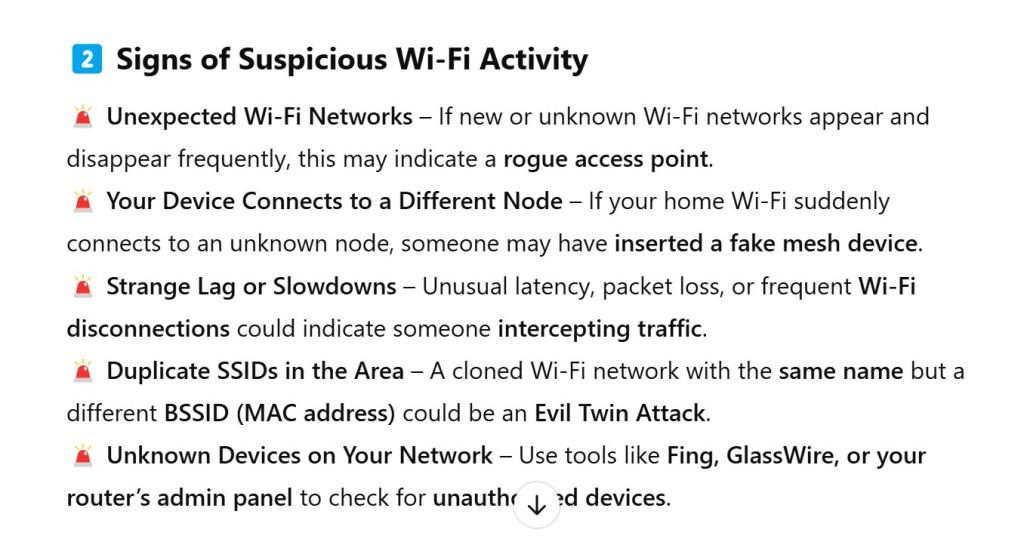
As for “Signs of Suspicious Wi-Fi Activity,” it listed:
Unexpected Wi-Fi Networks – If new or unknown Wi-Fi networks appear and disappear frequently, this may indicate a rogue access point.
Your Device Connects to a Different Node – If your home Wi-Fi suddenly connects to an unknown node, someone may have inserted a fake mesh device.
Strange Lag or Slowdowns – Unusual latency, packet loss, or frequent Wi-Fi disconnections could indicate someone intercepting traffic.
Duplicate SSIDs in the Area – A cloned Wi-Fi network with the same name but a different BSSID (MAC address) could be an Evil Twin Attack.
Unknown Devices on Your Network – Use tools like Fing, GlassWire, or your router’s admin panel to check for unauthorized devices.